
NSFAS Appeal Status Check:
Tracking Your Progress
Everything You Need to Know About Appeals and Reconsideration
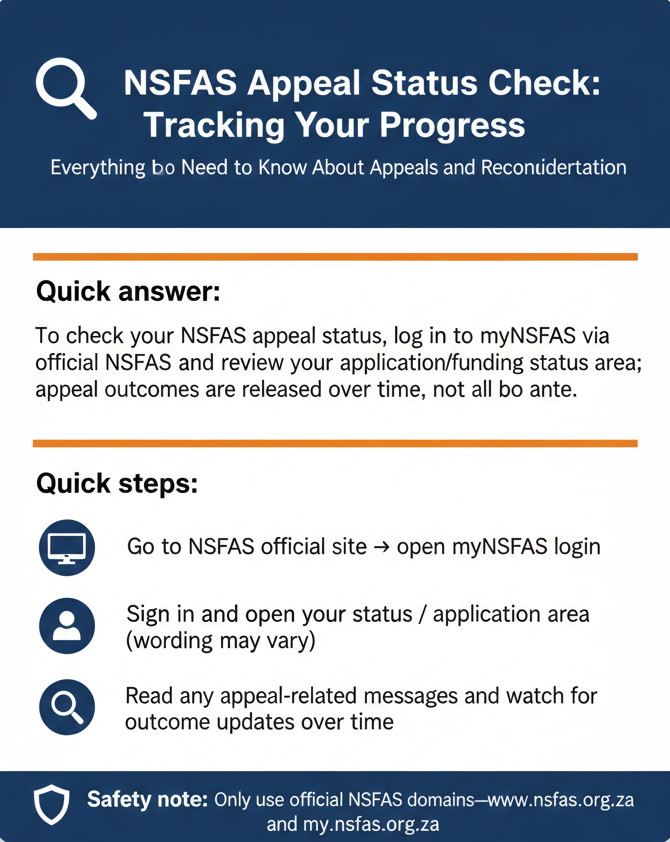
Quick answer: To check your NSFAS appeal status, log in to myNSFAS via the official NSFAS site and review your application/funding status area; appeal outcomes are released over time, not all at once. If you can’t sign in, use our NSFAS login help guide. For tracking methods (portal + backups), see Track NSFAS application status.
Quick steps:
Go to NSFAS official site → open myNSFAS login
Sign in and open your status / application area (wording may vary)
Read any appeal-related messages and watch for outcome updates over time
Look, if you’re reading this, you probably got an “Application Unsuccessful” message from NSFAS and you’re wondering what comes next. You submitted an appeal. Maybe weeks ago. Maybe yesterday. And now you’re sitting there refreshing the myNSFAS portal every three hours, wondering if your appeal status has changed, if there’s some hidden “appeal tracker” you’re supposed to be using, or if “reconsideration” is a different process entirely.
Here’s the thing: checking your NSFAS appeal status is mostly the same as checking your regular application status—you log in to myNSFAS and look at the same dashboard area where your original status appeared. But there are some nuances. Appeal outcomes don’t drop all at once. There’s no separate “NSFAS appeal tracker” website (despite what some third-party sites claim). And the term “reconsideration” gets thrown around, but NSFAS doesn’t officially split it into a different process—it’s all part of the appeal flow.
I’ve been helping students navigate NSFAS for over a decade, and appeal season is always the most stressful. Students don’t know if their appeal was received, if it’s being reviewed, or if they missed some critical step. Some check the portal daily and see no change for weeks. Others assume silence means rejection and give up too early. Both extremes cause problems.
This guide walks you through everything: what an NSFAS appeal actually is (and the non-negotiable 30-day deadline), how to check your appeal status on myNSFAS without getting confused by third-party “tracker” sites, what changes after you submit an appeal, and what to do if your status isn’t updating. We’ll also clear up the “reconsideration” terminology, explain N+1 appeals (the special case for students near the end of their qualification), and cover safety—because fake “appeal status checker” scams are everywhere right now.
Let’s get into it.
What an NSFAS Appeal Is (and the 30-Day Rule)
Before you can check your appeal status, you need to understand what you’re actually tracking. Because “appeal” means something specific in NSFAS terms, and there’s one rule that’s absolutely non-negotiable.
What “appeal” means in NSFAS terms
An appeal is a formal request for NSFAS to review your application outcome. You’re asking them to reconsider their decision—usually because you think they didn’t have all the information they needed, or because your circumstances changed after you applied, or because you believe there was an error in how your application was assessed.
According to the official NSFAS appeals page, an appeal is meant for situations where “circumstances have not been fully considered” or where “additional information has become available that may affect eligibility.” That’s the key: you’re not just resubmitting the same application and hoping for a different result. You’re providing new evidence, clarifying something that was misunderstood, or pointing out a mistake in the original assessment.
Common reasons students appeal: household income was calculated wrong, a parent lost their job after the application was submitted, documents were uploaded incorrectly and NSFAS didn’t see them, or there’s a special circumstance (like a disability or a death in the family) that wasn’t properly reflected in the original decision.
An appeal is not a guarantee that your outcome will change. It’s a second look. NSFAS will review your case, check the new information, and either approve your appeal (which usually means you get funded), reject it (which means the original decision stands), or ask for more documents before they can make a final call.
Appeal deadline: submit within 30 days of receiving results
Here’s the non-negotiable part: you have to submit your appeal within 30 days of receiving your original application results. That’s not 30 days from when you check your status—it’s 30 days from when NSFAS officially notified you (usually via SMS, email, or a portal message).
Miss that deadline, and your appeal probably won’t be processed. NSFAS is pretty strict about this. I’ve seen students try to appeal two months after their results dropped, and the system just won’t let them submit. The appeal window is time-limited for a reason—NSFAS has to finalize funding decisions so institutions can register students and disburse allowances on time.
So if you got your results recently and you’re thinking about appealing, don’t wait. Get your documents together, write a clear explanation of why you’re appealing, and submit it now. The clock is ticking.
When an appeal makes sense: new info or circumstances not fully considered
Appeals work best when you have something new to say. If your original application was declined because NSFAS said your household income was too high, but you can now prove that your parent lost their job or that you were incorrectly linked to someone else’s income, that’s a strong appeal. If you forgot to upload a document and NSFAS declined you for “incomplete submission,” you can appeal and attach the missing doc.
What doesn’t work: appealing just because you’re upset about the decision, without providing any new information or evidence. NSFAS won’t overturn a decision just because you asked nicely. You need to give them a reason—new documents, corrected data, or a clear explanation of what went wrong the first time.
I remember one student who appealed because NSFAS linked her to her stepfather’s income, even though he wasn’t financially supporting her and her mom was a single parent. She submitted an affidavit and proof that her mom was the sole provider. Appeal approved. That’s the kind of new information that makes a difference.
Bottom line: if your circumstances genuinely weren’t captured in the original application, or if you have new evidence that changes the picture, appeal. If you’re just hoping for a different result without offering anything new, save yourself the stress—it probably won’t work.
Appeal vs Reconsideration (What’s Official, What’s Not)
A lot of students search for “NSFAS reconsideration status check” instead of “appeal status check.” So let’s clear this up.
Does NSFAS run a separate “reconsideration” process? (answer carefully)
Short answer: no, not officially. NSFAS uses the word “appeal” in their official documentation and on the appeals page of their website. They don’t list “reconsideration” as a separate, formal process with different rules or timelines.
That said, the idea of reconsideration is baked into what an appeal is. When you submit an appeal, you’re asking NSFAS to reconsider your application outcome. So “reconsideration” is basically a synonym for “appeal” in everyday language—it’s not a distinct process with its own portal or submission flow.
Some institutions (universities and TVETs) use the term “reconsideration” when they talk about internal appeals or when they’re helping students submit NSFAS appeals. That might be where the confusion comes from. But on the NSFAS side, the official term is “appeal,” and that’s what you’ll see on their website and in their communications.
What official wording actually says: “review” / “appeal” language
The official NSFAS appeals page says students can submit an appeal “within 30 days of receiving their application results.” A February 2026 media release from the NSFAS Acting Board Chairperson describes appeals as “a review of their application outcome” for students who feel their circumstances weren’t fully considered or who have new information. So the official language is: “appeal” and “review.” Those are the words NSFAS uses. “Reconsideration” might pop up in student forums, on third-party guides, or in casual conversation, but it’s not the formal NSFAS term.
How to interpret “reconsideration status check” searches safely
If you landed here by searching “NSFAS reconsideration status check,” here’s what you need to know: you check your “reconsideration” status the same way you check your appeal status—log in to myNSFAS and look at your application or funding status area. There’s no separate reconsideration tracker. There’s no different login page. It’s all handled in the same place. Don’t let the terminology confuse you. Whether you call it an appeal, a reconsideration, or a review, you’re tracking the same thing: NSFAS’s decision on whether to change your original outcome based on the new information you provided.
How to Check NSFAS Appeal Status on myNSFAS
Alright, let’s get practical. Here’s how you actually check your appeal status, step by step.
Step-by-step (official path)
Step 1: Open any browser and go to www.nsfas.org.za. Don’t Google “NSFAS appeal tracker” and click the first result. Go directly to the official NSFAS website by typing the URL.
Step 2: Look for the “myNSFAS” button or link on the homepage. Tap or click it. You’ll be redirected to the myNSFAS login page (the URL will be my.nsfas.org.za or a path that starts with that domain).
Step 3: Log in with your South African ID number (or registered email if that’s what you used when you created your account) and your password. If the system prompts you for an OTP (one-time PIN), check your SMS or email, enter the code, and submit.
Step 4: Once you’re logged in, you’ll land on your myNSFAS dashboard. Now, find the section that shows your application or funding status. This might be labeled something like “Application Status,” “Track Funding Progress,” “My Applications,” or similar.
Step 5: Open that section. Look for any messages, updates, or indicators related to your appeal. If your appeal has been reviewed, you might see a status change (like a shift from “Unsuccessful” to “Approved,” or a note that says your appeal was reviewed and the decision stands). If your appeal is still being processed, you might see something generic like “Under Review” or “Application in Progress,” or there might be a message asking you to upload additional documents.
Where your appeal updates usually show
Your appeal updates don’t appear in a separate “Appeal Status” tab or on a different page. They show up in the same place where your original application status appeared—on your myNSFAS dashboard, in the section that lists your applications and their outcomes.
If your appeal is successful, the status might change to reflect that. If it’s unsuccessful, you might see a message confirming that the original decision stands. If it’s still under review, the status might stay the same as before, or you might see a generic “in progress” type message.
What if you don’t see any appeal info yet? (timing + batch processing)
If you submitted your appeal days (or even weeks) ago and you still don’t see any change on your dashboard, don’t panic. Appeal outcomes are released on a rolling basis, not all at once. NSFAS processes appeals in batches, and depending on when you submitted and how complex your case is, it might take a while before you see an update.
According to a January 2026 government news article, NSFAS notifies students of appeal outcomes “on an ongoing basis,” and they emphasize that not all appeals are processed at the same time. Some students get their outcomes in a week. Some wait a month. Some even longer if there are document issues or if NSFAS is waiting on verification from an external source (like SARS or your institution).
What you should do: check your status once or twice a week. Don’t obsessively refresh the portal every hour—it won’t speed things up. Make sure your contact details (phone and email) are up to date on your myNSFAS profile so you don’t miss any notifications. And if you see a message asking for documents, respond immediately. Delays on your end push your appeal to the back of the queue.
How to Check NSFAS Status After Appeal (What Changes, What Doesn’t)
Let’s talk about what happens after you submit an appeal and how that affects your status.
What can change after an appeal
If your appeal is approved, your status will change to reflect that. You might see something like “Application Approved,” “Provisionally Funded,” or “Funded subject to registration.” The exact wording depends on NSFAS’s current system language, but the idea is the same: you went from “Unsuccessful” to “Successful,” and you’re now eligible for funding.
If your appeal is still under review, the status might show something generic like “Application in Progress” or “Under Review.” You might also see a message asking you to upload additional documents or clarifying what NSFAS needs before they can finalize your appeal.
If your appeal is rejected, the status might stay the same (still showing “Unsuccessful”), or you might see a message that says something like “Appeal reviewed—original decision confirmed.” That means NSFAS looked at your appeal and decided the original outcome was correct.
What usually doesn’t change
Your personal details—name, ID number, institution, course—don’t change just because you submitted an appeal. Your original application record stays the same. The appeal is just a review of the outcome (funded or not funded), not a rewrite of your entire application.
Also, submitting an appeal doesn’t automatically restore your funding or put you back in the queue as if nothing happened. The appeal has to be approved before your outcome changes. Just because you appealed doesn’t mean you’re funded—it means you asked NSFAS to take another look.
Outcome timing
Appeal outcomes are released over time, not all at once. NSFAS doesn’t set a fixed timeline—like “all appeals will be decided by X date”—because the volume and complexity of appeals vary. Some are straightforward (missing document, easy fix) and get resolved quickly. Others are complex (disputed income calculations, multi-source verification) and take longer.
Special Case: N+1 Appeals (If You’re Appealing for Additional Funding Time)
Most appeals are about students who were declined for initial funding. But there’s a special category: N+1 appeals. These are for students who are nearing the end of their qualification and need funding beyond the normal academic duration.
What N+1 means at a high level
“N+1” means your qualification’s official duration (N) plus one extra year. So if you’re doing a three-year degree (N=3), and you need a fourth year to complete it, that’s N+1. NSFAS has rules about how many years they’ll fund, and normally they won’t fund beyond the official qualification duration. But if you have extenuating circumstances—like you failed a year due to illness, or you had to take a break for family reasons, or you’re close to finishing but need one more semester—you can appeal for N+1 funding.
Why it’s different: institution/faculty confirmation and formal documents
N+1 appeals are different from regular appeals because they require formal sign-off from your institution. According to an official NSFAS document (the “Propensity Form for a Student Appealing for N+1”), these appeals need a faculty representative to confirm that you’re close to completing your qualification, that you meet certain academic criteria, and that the extra funding time is justified.
What to prepare: institution-verified supporting documentation (no guessing)
If you’re appealing for N+1 funding, you need to work with your institution’s financial aid office or your faculty’s academic office. They’ll help you fill out the required forms (like the Propensity Form) and provide the supporting documentation NSFAS needs—things like your academic transcript, proof that you’re enrolled in the remaining modules, a letter from your faculty explaining why you need the extra time, and any medical or personal documentation if your delays were due to circumstances beyond your control.
If You Can’t Log In, Can You Still Check Appeal Status?
What if you forgot your password? What if the portal’s down? Can you still find out what’s happening with your appeal?
Online appeal status requires login (myNSFAS)
The short answer is: full appeal status details live inside the myNSFAS portal, and you need to log in to see them. There’s no public “NSFAS appeal status checker” where you can type your ID number and get instant results without a password. NSFAS doesn’t work that way.
If you can’t log in because you forgot your password, go to password.nsfas.org.za (or use the “Forgot password” link on the myNSFAS login page) and reset it. Once you’re back in, you can check your appeal status on your dashboard. If you’re locked out, use the phone methods guide (USSD/WhatsApp/call/email). And if you only have your ID/reference , here’s the safe explainer: status check using ID number.
Assisted channels that can help you confirm status
If you genuinely cannot access the portal and you need to know your appeal status urgently, you can contact NSFAS directly and ask them to check it for you.
Email: info@nsfas.org.za—This is the official NSFAS support email. Send a message explaining that you’re trying to check your appeal status but you can’t log in to the portal. Include your ID number, full name, registered phone number, registered email, and (if you have it) your NSFAS reference number.
Phone/call centre: The NSFAS call centre number is 0800 0 67327 (toll-free). When you call, you’ll need to verify your identity, and then you can ask them to look up your appeal status. Be prepared for long wait times—call centres get slammed during appeal season.
What info to include when contacting NSFAS
When you email or call NSFAS support to ask about your appeal status, have this information ready:
- Your South African ID number (13 digits)
- Your full name (as it appears on your ID)
- Your registered phone number and email
- Your NSFAS reference number (if you have it)
Troubleshooting: Appeal Status Not Showing, Still “Under Review”, or Asked for Documents
Let’s run through the most common problems students hit when trying to check their appeal status.
Portal slow / busy: try later, different browser, clear cache
If the myNSFAS portal won’t load, or it loads but your dashboard is blank, the issue is probably server-side. Wait 30 minutes to an hour and try again. Try a different browser. Clear your browser cache and cookies. Switch from Wi-Fi to mobile data, or vice versa.
No update yet: outcomes are staggered; monitor regularly
If you’ve been checking your status for weeks and it still hasn’t changed, that’s frustrating—but it’s also normal. Appeal outcomes are released on a rolling basis. NSFAS processes appeals in the order they’re received (usually), but complex cases take longer. Check your status weekly, not daily. If you’re a TVET student or a returning student, timelines can look different—use this TVET vs university + new vs returning guide to interpret delays.
Document issue: incomplete submissions can’t be processed
If you see a message on your dashboard that says something like “Documents required” or “Incomplete submission,” that means NSFAS reviewed your appeal and they need more information before they can make a decision. Read the message carefully. Upload the documents as soon as possible. Don’t wait.
Contact details: keep them updated, watch NSFAS communications
If NSFAS tries to contact you about your appeal and they can’t reach you because your phone number or email changed, your appeal might get stuck. NSFAS won’t chase you down. Make sure your contact details on your myNSFAS profile are current. If you changed your phone number or email since you applied, log in and update them.
Safety: Avoid Fake “NSFAS Appeal Tracker” Pages
Let’s talk about scams, because they’re rampant right now.
Only use official NSFAS domains for login/submission
Only use these official URLs:
- www.nsfas.org.za
- my.nsfas.org.za
- password.nsfas.org.za
If you land on a site that claims to be an “NSFAS appeal tracker” or “NSFAS appeal status checker” and the URL doesn’t match one of those three, close it immediately. It’s fake.
Red flags: pages asking for OTP/password, “instant approval”, banking details
Here are the warning signs that you’re on a fake site:
- Red flag 1: The site asks for your OTP or password on the same screen as your username.
- Red flag 2: The site promises “instant approval” or “check your appeal status in seconds.”
- Red flag 3: The site asks for your banking details, card number, or PIN.
- Red flag 4: The URL is almost right, but not quite. (e.g., “mynsfas-portal.org”)
Don’t trust third-party “appeal status codes” lists as official. Some third-party guides publish lists of status codes and present them as official NSFAS terminology. The problem: NSFAS doesn’t publish a fixed list of status codes on their official website. The exact wording on the myNSFAS portal changes over time as they update the system.
FAQs: NSFAS Appeal Tracking
Still Stuck? Here’s What to Do Next
If you’ve followed this entire guide and you’re still having trouble checking your NSFAS appeal status—whether it’s login issues, confusion about what your status means, or just no updates for weeks—it’s time to reach out directly.
Official Contact Channels
Email Support
info@nsfas.org.za
Toll-Free Call
0800 0 67327
Official Site
www.nsfas.org.za
Have your South African ID number, full name, registered contact details, and NSFAS reference number (if you have it) ready when you contact them. Explain your situation clearly and mention what you’ve already tried. Be patient—response times can be slow during peak periods—but persistence pays off.
And look, I know how stressful this is. I’ve watched thousands of students submit appeals, refresh the portal daily, and stress over every status message. The waiting is the worst part. But most appeals that are properly documented and submitted on time do get reviewed, and many are successful. So if you’re in the middle of the appeal process, hang in there. Check your status regularly, respond to any document requests immediately, and trust that NSFAS is working through the queue.