NSFAS Status Meaning 2026:
What Each Status Means
Pending, Approved, Provisionally Funded, Unsuccessful, and Rejected Decoded
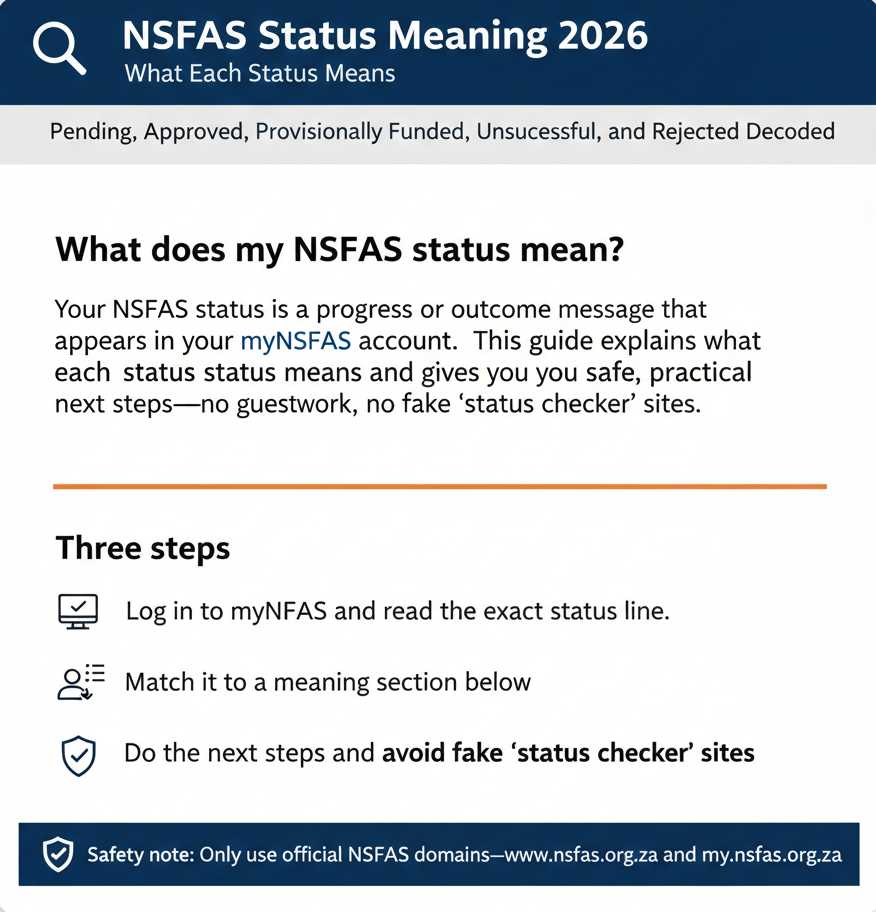
What does my NSFAS status mean?
Your NSFAS status is a progress or outcome message that appears in your myNSFAS account. Some labels are portal-observed (they show up in the system but aren’t always formally defined in official NSFAS documents). This guide explains what each status actually means and gives you safe, practical next steps—no guesswork, no fake “status checker” sites.
NSFAS status messages show where your application is in the process or the final outcome. Check your status in myNSFAS, then follow the next-step checklist for your result.
Three steps:
Log in to myNSFAS and read the exact status line.
Match it to the meaning section below.
Do the next steps and avoid fake “status checker” sites.
If you can’t sign in, use NSFAS login help. For tracking methods (portal + backups), see →Track NSFAS application status or check on your phone.
Look, I’ve been helping students decode NSFAS statuses for over a decade, and every year it’s the same story. Students log in to myNSFAS, see a one- or two-word status like “Pending” or “Provisionally Funded,” and immediately panic because they don’t know what it means or what they’re supposed to do next. Some assume “Pending” means rejected. Others think “Provisionally Funded” means money’s coming tomorrow. Both are wrong, and both lead to unnecessary stress.
Here’s the thing: NSFAS status messages are progress indicators. They tell you where your application is in the review process, or (if you’re lucky) what the final decision is. But the system doesn’t always explain what those labels mean or what you should do about them. And NSFAS doesn’t publish a single, comprehensive “official list of all status meanings” that covers every possible label you might see—because the portal UI changes, institutions use slightly different wording, and some statuses are internally generated by the system without a public definition.
So this guide does what NSFAS won’t: it walks you through the most common status labels—Pending, Verification, Approved, Provisionally Funded, Unsuccessful, and Rejected—explains what each one actually means in plain English, and tells you exactly what to do next. We’ll also cover what not to do (like trusting fake “status meaning” sites that ask for your OTP or banking details), and we’ll answer the most-searched FAQ questions so you can get clarity fast.
Let’s decode your status.
Before we start: Are these status labels “official”?
Before we dive into meanings, you need to understand something important: not all NSFAS status labels are formally defined in official NSFAS documents. Some are. Some aren’t. And that distinction matters.
Two types of status terms you’ll see
Official outcome terms used in NSFAS communications. These are words like “funded,” “rejected,” and “unsuccessful” that NSFAS uses in their media releases, reports, and official statements. For example, NSFAS released a statement in February 2026 saying they’d approved over 660,000 applicants for 2026 funding and rejected around 20,000 applications. Those terms—”approved,” “rejected,” “unsuccessful”—are official. They appear in government announcements, NSFAS press releases, and formal communications. You can trust that when NSFAS says “approved,” they mean you’re funded.
Portal-observed labels (common in myNSFAS and institution guides). These are status messages that students see when they log in to the myNSFAS portal—things like “Provisionally Funded,” “Under Review,” “Evaluation,” “Verification,” “Awaiting Registration,” or “Application in Progress.” Universities and financial aid offices reference these labels in their guides (like when the University of the Free State tells students to look for “Provisionally Funded” on their myNSFAS account), and thousands of students report seeing them. But NSFAS doesn’t always publish static text definitions for these labels on their website. They’re real—they show up in the system—but they’re not always formally documented in the same way that “approved” or “rejected” are.
Why does this happen? Because the myNSFAS portal is a live system with dynamic status updates, and the labels can change slightly from year to year as NSFAS updates the UI or refines their processes. A status that said “Awaiting Academic Results” in 2024 might say “Pending Results Verification” in 2026. Same meaning, different wording. NSFAS focuses on getting the function right (processing applications, making decisions, paying allowances), not on publishing a glossary of every status label.
Why this matters
We’re going to explain the meanings of the most common statuses you’ll see, using safe, evidence-based wording. But we’re not going to claim that every label we discuss has a formal, word-for-word definition on the NSFAS website—because some don’t. Instead, we’ll tell you what each status means in practice based on official NSFAS communications, institutional guidance, and years of observing how the system works. And we’ll flag when a label is “portal-observed” versus “officially defined” so you know the difference.
Bottom line: if you see a status on your myNSFAS dashboard, it’s real and it means something. This guide will help you figure out what it means and what to do about it—even if NSFAS hasn’t published a formal glossary entry for that exact wording.
How to check your NSFAS status meaning (the right way)
Before you can interpret your status, you need to actually see it. And the only official place to check your NSFAS status is inside the myNSFAS portal.
Check inside myNSFAS first
Here’s the flow: Open any browser and go to www.nsfas.org.za. Look for the “myNSFAS” button or link on the homepage and click it. You’ll be redirected to the myNSFAS login page (my.nsfas.org.za or a path starting with that domain). Log in with your South African ID number (or registered email) and your password. If the system asks for an OTP (one-time PIN), check your SMS or email, enter the code, and submit.
Once you’re logged in, you’ll land on your dashboard. Now you need to find the section that shows your application status or funding result. This might be labeled something like “Application Status,” “Funding List,” “Track Funding Progress,” “My Applications,” or similar—the exact wording changes depending on when NSFAS last updated the interface. But you’re looking for the part of the dashboard that shows your 2026 (or relevant-year) application and its current status.
Open that section and read the status message. That’s your status. It might be a single word (“Pending,” “Approved”), a short phrase (“Provisionally Funded,” “Under Review”), or a longer sentence (“Your application is awaiting verification”). Write it down exactly as it appears, because the specific wording matters when you’re trying to figure out what it means.
That’s the official check. Don’t trust third-party “NSFAS status checker” sites that claim they can look up your status without you logging in. They can’t. Your status lives inside your myNSFAS account, and you need to log in to see it.
If you can’t log in
If you forgot your password, go to password.nsfas.org.za (or use the “Forgot Password” link on the myNSFAS login page) and reset it. You’ll need to enter your ID number, receive an OTP via SMS or email, and create a new password. Once you’re back in, you can check your status.
If you’re not receiving OTPs, confirm that your phone number and email on your myNSFAS profile are correct and active. If they’re outdated, you’ll need to contact NSFAS support (via info@nsfas.org.za or the official phone line) and ask them to update your contact details so you can regain access.
Safety reminder: never share your OTP, password, or banking details with anyone claiming they can “check your status” for you. NSFAS will never ask for that information via SMS, email, or a random website. If someone does, it’s a scam.
For more help with logging in, checking your status by phone (WhatsApp or USSD), or resetting your password, check these guides:
- NSFAS Login / myNSFAS Guide
- Reset Password Guide
- Status Check by Phone (WhatsApp/USSD)
NSFAS Status Pending Meaning (and what to do)
If your status says “Pending,” “Application Pending,” or something similar, here’s what that means.
Meaning (plain)
Your application is still in progress. NSFAS hasn’t made a final funding decision yet. Your application might be waiting for you to upload documents, waiting for your academic results to be verified, or waiting for NSFAS to check your details against government systems (like the Department of Home Affairs, SARS, or SASSA). “Pending” is a holding status—it means “we’re still working on this.”
According to a January 2026 government announcement, NSFAS processed over 893,000 applications for the 2026 cycle, and at that point, more than 218,000 applications were still incomplete (awaiting documents). That’s the “pending” category. Your application is in the queue, but it’s not ready for a final decision yet because something’s missing or something’s still being checked.
Here’s what “pending” does not mean: it doesn’t mean you’ve been rejected. It doesn’t mean NSFAS forgot about you. It doesn’t mean your application is broken. It just means the process isn’t finished yet.
I remember one student who saw “Pending” in early January and assumed she was rejected, so she gave up and didn’t check again. Two months later, her status had changed to “Approved,” but she’d missed registration cut-offs at her institution because she wasn’t monitoring the portal. Don’t be that student. Pending is neutral—it’s not good or bad, it’s just “wait.”
What to do next (safe checklist)
Step 1: Log in to myNSFAS weekly and check for messages or document requests. Sometimes “pending” means NSFAS is waiting on you. If you see a message asking for a specific document—like proof of income, an ID copy, or academic results—upload it immediately. The longer you wait, the more likely your application will be auto-rejected for incompleteness.
Step 2: Upload missing documents fast. If your status says “pending” and you know you didn’t upload everything, go back and upload the missing items. NSFAS won’t chase you down. If documents are missing by the cut-off date, your application gets closed.
Step 3: Update your phone number and email on your myNSFAS profile. NSFAS sends status updates via SMS and email. If your contact details are wrong or outdated, you’ll miss those updates and won’t know when your status changes or when documents are needed. Keep your profile current.
What not to do
- Don’t submit multiple applications. NSFAS only processes one application per student per cycle.
- Don’t pay anyone claiming they can “remove pending.” It’s a scam.
- Don’t assume “pending = rejected.” Pending is not a final outcome.
Pending means NSFAS has not made a final decision yet. Your application may be waiting for documents, results, or verification. Check myNSFAS weekly and upload any missing documents.
NSFAS Verification Meaning (and why it can take time)
If your status says “Verification,” “Awaiting Verification,” or something similar, here’s what’s happening.
Meaning
NSFAS is checking your submitted details and documents against external records and systems. They’re verifying things like your ID number (via the Department of Home Affairs), your household income (via SARS and credit bureaus), your SASSA status (if you’re a SASSA grant recipient), and sometimes your academic results (via your institution). This is a normal part of the process. Every application goes through some level of verification.
“Verification” doesn’t mean something’s wrong—it means NSFAS is doing their due diligence to make sure the information you provided is accurate. If everything matches, your status will move forward to the next stage (usually “Evaluation” or “Approved”). If there’s a mismatch—like your uploaded income documents don’t match what SARS reports—NSFAS might ask you to upload additional proof or clarify the discrepancy.
The catch: verification can take weeks, especially during peak periods when NSFAS is processing hundreds of thousands of applications at once. External systems (like SARS) sometimes take time to respond, and if there’s a backlog, your application waits in the queue. It’s frustrating, but it’s not a sign that your application is in trouble.
Next steps
Step 1: Verify that your ID number and personal details in your myNSFAS profile are correct. A typo in your ID number can cause verification to fail, because NSFAS won’t be able to match your application to your government records. Double-check that your name, ID, and date of birth match your ID document exactly.
Step 2: Watch for document requests and respond quickly. If NSFAS finds a mismatch during verification, they might send you a message asking for additional documents or corrections. Don’t ignore it. Upload what they need as soon as possible.
Step 3: Keep your contact details active for OTPs and messages. Some verification steps require you to confirm your identity via OTP. If your phone number or email is wrong, you won’t receive the OTP and verification will stall.
Verification means NSFAS is checking your details and documents against government records. Confirm your ID and contact details are correct, then check myNSFAS for messages requesting documents or corrections.
NSFAS Status Approved Meaning (Next steps after approval)
If your status says “Approved,” “Funded,” “Application Successful,” or “Application Approved,” congratulations—NSFAS has decided to fund you.
Meaning
Your application has been approved, and NSFAS has allocated funding for your tuition and (depending on your situation) your allowances—things like accommodation, meals, transport, and learning materials. This is the outcome you’ve been waiting for. You’re in.
But here’s the catch: “approved” doesn’t mean the money’s in your bank account yet. It means NSFAS has made the funding decision and committed the budget. Actually getting that money to you depends on a few more steps—mainly confirming your registration at your institution and following your institution’s process for disbursing allowances. We covered this in detail in the funding and payment status guide, but the short version is: NSFAS pays your institution, and your institution pays you. So even after approval, you need to work with your campus financial aid office to make sure everything’s set up correctly.
According to NSFAS’s February 2026 statement, over 660,000 students were approved for funding in the 2026 cycle. If you’re one of them, you’re funded—but you still need to complete registration and follow the next steps to actually receive tuition coverage and allowances.
Next steps
Step 1: Confirm you are registered at your institution. NSFAS won’t release funds to your institution until they confirm your registration. So if you haven’t registered yet, do it now. And if you have registered, make sure your institution’s admin office uploads your registration data to NSFAS. Some institutions do this automatically; others require you to check in with the financial aid office to confirm.
Step 2: Follow your institution’s NSFAS or financial aid instructions for allowances. Most universities and TVET colleges publish guides on their websites explaining how NSFAS-funded students receive allowances. Some institutions require you to submit your banking details via their student portal. Others handle it automatically. Check your institution’s NSFAS page and follow the instructions.
Step 3: Keep checking myNSFAS for any required agreements or messages. Some students need to sign a bursary agreement or accept funding terms before NSFAS finalizes everything. If you see a message asking you to sign something or confirm something, do it immediately. Delays on your end can hold up your tuition payment or allowances.
What not to do
- Don’t assume money is paid instantly. Payment timing depends on your institution’s schedule.
- Don’t trust non-official “allowance trackers.” There is no real-time official allowance tracker.
Approved means NSFAS has accepted your application for funding. Next, confirm your institution registration and follow your campus financial aid steps so tuition and allowances can be processed.
Provisionally Funded Meaning (NSFAS)
If your status says “Provisionally Funded,” “Funding Eligible,” or “Provisionally Approved,” here’s what that means—and why it’s different from a full “Approved” status.
Meaning
You appear to meet NSFAS’s eligibility criteria, but the final confirmation of your funding often depends on additional checks—usually your institution confirming your registration and NSFAS completing any last verification steps. “Provisionally funded” is a conditional approval. It’s NSFAS saying “You look good, but we need to finalize a few things before we commit the money.”
This status is commonly seen at universities. For example, the University of the Free State tells students that if their myNSFAS status reads “Funding eligible without/with admission” or “Provisionally funded,” they should expect an SMS from the financial aid office once registration is confirmed. That’s the pattern: provisionally funded means you’re on the right track, but you’re not fully in the system yet.
Why does NSFAS use this status? Because funding decisions are often made before registration is complete, and NSFAS wants to give students a heads-up that they’re likely funded—but they can’t finalize everything until the institution confirms you’re actually enrolled. So “provisionally funded” is a holding status that says “we’re planning to fund you, assuming nothing changes.”
Next steps
Step 1: Register at your institution and ensure they send your registration details to NSFAS. This is the most important step. Until your institution confirms your registration, your “provisionally funded” status won’t convert to full funding, and NSFAS won’t release tuition or allowance payments. Register as soon as possible, and check with your institution’s admin or financial aid office to confirm they’ve uploaded your data.
Step 2: Check myNSFAS weekly for requests or updates. Sometimes “provisionally funded” comes with document requests or conditions—like NSFAS needing proof of your accommodation arrangement, or additional verification of your household income. If you see a message asking for documents, upload them immediately.
Step 3: Watch for communication from your institution’s financial aid office. Many institutions send SMS or email notifications to provisionally funded students once registration is confirmed and funding is finalized. Don’t assume your funding is automatic—stay in touch with your campus financial aid office and respond to any messages they send.
Provisionally funded means you look eligible, but NSFAS still needs final confirmation, often your registration details. Register at your institution, then check myNSFAS for updates and any document requests.
NSFAS Status Unsuccessful Meaning (and what you can do next)
If your status says “Unsuccessful,” “Application Unsuccessful,” or something similar, here’s what that means—and what you can do about it.
Meaning
Your application did not meet NSFAS’s eligibility requirements, or it was closed due to issues like missing documents, late submission, or incorrect information. “Unsuccessful” is a final decision (unless you appeal). It means NSFAS reviewed your application and decided not to fund you.
According to NSFAS’s February 2026 update, around 20,368 applications out of over a million did not meet the required standards and were not approved. That’s the “unsuccessful” category. Common reasons include: household income exceeding NSFAS limits, missing or incomplete documents by the cut-off date, applying for a course or institution that’s not NSFAS-eligible, or failing to meet academic progression requirements (for returning students).
Here’s what “unsuccessful” does not mean: it doesn’t mean you can never get NSFAS funding. If you have new information—like corrected income documents, or proof that your household circumstances changed—you can appeal. The appeal window is typically 30 days from when you receive your results, so don’t wait.
Next steps
Step 1: Check if a reason or message is shown in myNSFAS. Sometimes your status will include a brief explanation—like “Income exceeds threshold” or “Incomplete application.” Read that carefully. It tells you what went wrong and whether it’s something you can fix.
Step 2: If eligible, submit an appeal within the official window (commonly 30 days from results). If you think NSFAS made a mistake, or if you have new documents that weren’t considered in the original decision, you can appeal. Log in to myNSFAS, look for an “Appeal” or “Submit Appeal” option, and follow the instructions. You’ll need to explain why you’re appealing and upload any supporting documents. For detailed appeal guidance, check our NSFAS Appeal Status Check Guide.
Step 3: Ask your institution about alternative bursaries if needed. If your appeal isn’t successful (or if you don’t qualify to appeal), talk to your institution’s financial aid office. Many universities and colleges have emergency funds, institutional bursaries, or external bursary programs that might be able to help. Don’t give up just because NSFAS said no—there are other funding options out there.
Unsuccessful means NSFAS did not approve your application. Check myNSFAS for the reason, then appeal within the allowed window if you have new or corrected information.
NSFAS Status Rejected Meaning (Rejected vs Unsuccessful)
If your status says “Rejected,” “Application Rejected,” or “Declined,” here’s what that means—and how it’s different (or not) from “Unsuccessful.”
Meaning
“Rejected” is the term NSFAS uses in their official reports and statements to describe applications that were declined. In practice, students often see “Unsuccessful” or “Declined” on their myNSFAS portal, but NSFAS uses “Rejected” when they’re talking about aggregate numbers—like “NSFAS rejected 124,918 applications in the 2024 cycle.” So “rejected” and “unsuccessful” are basically synonyms. They both mean NSFAS said no.
The reasons for rejection are the same as for “unsuccessful”: income too high, incomplete documents, ineligible course or institution, or (for returning students) failing to meet academic progression rules. And just like with “unsuccessful,” you can appeal a rejected decision if you have new information or if you think NSFAS made an error.
Next steps
Step 1: Read the reason (if shown) on your myNSFAS account. Knowing why you were rejected helps you decide whether an appeal is worth it. If you were rejected because your household income is way over the limit and you don’t have new information, an appeal probably won’t help. But if you were rejected for “incomplete documents” and you can now upload the missing items, an appeal makes sense.
Step 2: Check appeal eligibility and deadlines. NSFAS typically gives you 30 days from the date you receive your results to submit an appeal. If you’re within that window and you have grounds for an appeal (new documents, corrected information, special circumstances), submit it via myNSFAS.
Step 3: Speak to your institution about alternatives. If NSFAS funding isn’t available to you, ask your campus financial aid office about other bursaries, loans, or payment plans. Many students who don’t qualify for NSFAS can still access funding from other sources.
Rejected means NSFAS declined the application. Check myNSFAS for the reason and appeal option, then contact your institution’s financial aid office for other funding routes if NSFAS isn’t available.
What to do next after ANY status change
Alright, you’ve checked your status and you know what it means. Now what? Here’s a quick decision guide based on your status:
If your status is Pending, Verification, Under Review, Evaluation, or anything that sounds like “still in progress”: Check myNSFAS weekly (not daily—obsessing won’t speed it up). Upload any missing documents the moment you’re asked. Keep your contact details (phone and email) updated on your profile so you don’t miss status-change notifications. And be patient. These statuses can last for weeks, especially during peak processing periods. If it’s been longer than six weeks with no change and no messages, contact NSFAS support and ask them to check your application.
If your status is Provisionally Funded or Funding Eligible: Register at your institution immediately if you haven’t already. Confirm that your institution’s admin office is uploading your registration data to NSFAS. Check myNSFAS weekly for any document requests or updates. And watch for communication from your campus financial aid office—they’ll usually contact you once funding is fully confirmed. Don’t assume your funding is locked in until you see “Approved” or until your institution tells you everything’s finalized.
If your status is Approved or Funded: Confirm your registration is complete and on file with NSFAS. Follow your institution’s instructions for receiving tuition coverage and allowances—this usually involves submitting or verifying your banking details, signing agreements, or confirming your enrollment status. Check myNSFAS for any messages or tasks you need to complete. And monitor your institution’s NSFAS announcements for payment timelines. Remember: “approved” means the funding decision is made, but payment timing depends on your institution’s schedule.
If your status is Unsuccessful, Rejected, or Declined: Read the reason or message attached to your status (if there is one). Decide whether you have grounds for an appeal—new documents, corrected information, or circumstances that weren’t considered. If yes, submit your appeal within the 30-day window via myNSFAS. If no (or if your appeal isn’t successful), contact your institution’s financial aid office and ask about alternative bursaries, emergency funds, or payment plans. Don’t give up—NSFAS isn’t the only funding option, and many institutions have their own support programs.
And no matter what your status is, never share your OTP, password, or banking details with anyone claiming they can “fix” your status or “speed up” your application. Those are scams.
Common mistakes that keep students stuck
Let me tell you the mistakes I see students make every single year—mistakes that delay their outcomes, cost them funding opportunities, or leave them stuck in limbo for months.
Mistake 1: Missing documents and assuming “pending will fix itself.” If your status is “pending” and myNSFAS sent you a message asking for documents, NSFAS isn’t going to remind you every day. If you don’t upload those documents by the deadline, your application gets auto-rejected for incompleteness. I’ve watched students lose funding because they ignored a single document request. Don’t let that be you. Check myNSFAS weekly, read every message, and upload what’s requested immediately.
Mistake 2: Checking the wrong year or cycle. If you applied in 2025 and you’re checking your 2024 status, you’ll think your application was never processed. Some myNSFAS dashboards show multiple years or cycles if you applied before. Make sure you’re looking at the correct year—2026 if you applied for 2026 funding. If you see multiple applications listed, check the year label next to each one and open the right one.
Mistake 3: Using unofficial “status checker” sites. There are dozens of third-party websites claiming to be “NSFAS status checkers” where you can enter your ID and see your status without logging in. They’re fake. Some are phishing sites designed to steal your login details. Others just redirect you back to the official myNSFAS login. The only real status check happens inside myNSFAS at my.nsfas.org.za. Don’t trust anything else.
Mistake 4: Sharing OTP, password, or banking details. If anyone—via SMS, email, WhatsApp, or a random website—asks you to share your NSFAS OTP, password, or banking details to “verify your status” or “unlock your funding,” it’s a scam. NSFAS will never ask for that information outside of the official login process. Don’t fall for it.
FAQ
Still Confused? Here’s What to Do Next
If you’ve read this entire guide and you’re still not sure what your status means—or if your status doesn’t match any of the ones we covered—here’s what to do:
Step 1: Take a screenshot of your exact status message. Don’t paraphrase it. Screenshot the exact wording as it appears on your myNSFAS dashboard.
Step 2: Contact your institution’s financial aid office. They work with NSFAS every day, and they’ve seen every status message imaginable. Email or visit them, show them your screenshot, and ask: “What does this status mean, and what do I need to do next?” They’ll give you institution-specific guidance.
Step 3: If your institution can’t help, contact NSFAS support. Email info@nsfas.org.za with your South African ID number, full name, and a description of your status issue. Include your screenshot if you can. Response times can be slow during busy periods, but they do reply.
And look, I know how frustrating this is. The NSFAS system doesn’t explain itself well, the status messages are vague, and sometimes it feels like you’re supposed to just know what everything means. You’re not alone in feeling confused—every year, thousands of students struggle with the exact same questions.
But here’s the good news: once you understand what your status means and what you’re supposed to do next, the stress drops dramatically. You stop checking the portal obsessively. You stop panicking that your application is broken. You just follow the steps, upload the documents, confirm your registration, and wait for the outcome. It’s not fast, and it’s not always smooth, but it works.