NSFAS Status Check 2026:
Updated Steps for TVET vs University
New vs Returning Students Guide
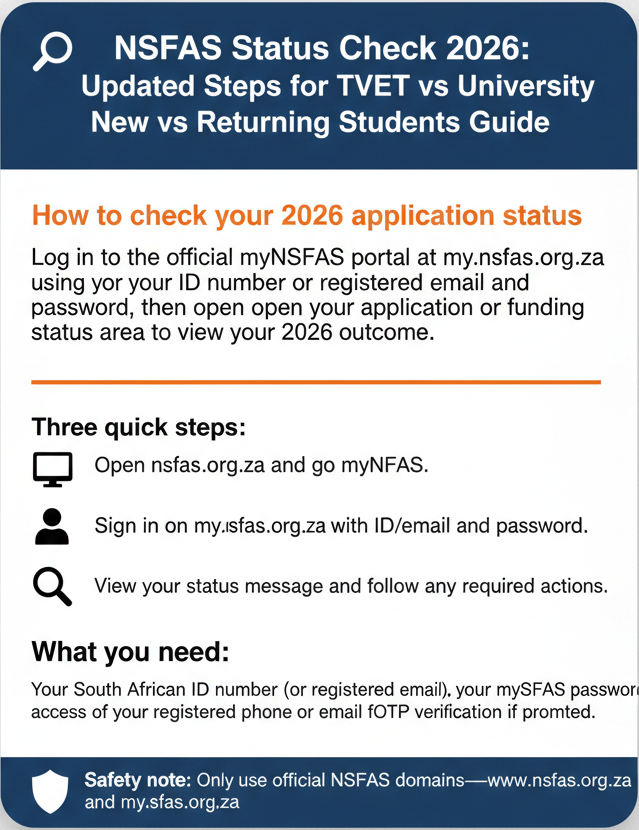
Log in to the official myNSFAS portal at my.nsfas.org.za using your ID number or registered email and password, then open your application or funding status area to view your 2026 outcome.
Three quick steps:
Open nsfas.org.za and go to myNSFAS.
Sign in on my.nsfas.org.za with ID/email and password.
View your status message and follow any required actions.
What you need: Your South African ID number (or registered email), your myNSFAS password, and access to your registered phone or email for OTP verification if prompted. Prefer mobile? Use the NSFAS status check on phone guide. If you’re searching “check using ID number,” this is the correct ID-number login method.
Look, if you’re reading this in 2026, you probably applied for NSFAS funding months ago and now you’re trying to figure out where your application stands. Maybe you’re a first-time student who just submitted in November 2025 and you’re wondering if you got funded. Maybe you’re a returning student who’s been funded before, but you’re not sure if your 2026 continuation came through. Or maybe you’re at a TVET college instead of a university, and you’re wondering if the status-check process is different for you.
Here’s the thing: the basic status check is the same for everyone—you log in to myNSFAS and look at your dashboard. If you’re struggling to sign in, use our NSFAS login guide , then follow the main NSFAS status check walkthrough once you’re in. But the timing, the wording, and the things you need to watch out for are different depending on whether you’re new or returning, and whether you’re at a TVET or a university. And that’s what trips up most students. They follow a generic “how to check NSFAS status” guide that doesn’t account for their specific situation, and then they panic when their experience doesn’t match the guide.
I’ve been helping students check their NSFAS status for over a decade, and every year it’s the same questions. “I’m a new applicant—why does my status still say ‘Pending’?” “I’m a returning student—does my old funding automatically carry over, or do I need to reapply?” “I’m at a TVET—is my status check different from university students?” The answers depend on your situation, and this guide walks you through all of them.
We’ll start with the universal 2026 status-check method (because the core steps are the same for everyone), then we’ll break down the key differences for new vs returning students and TVET vs university students. We’ll also cover 2026-specific timing—what’s already happened, what to expect next, and why your status might still change even though NSFAS announced that “all funding decisions are concluded.” And we’ll end with troubleshooting, safety warnings (because fake “NSFAS status checker” scams are everywhere), and a full FAQ section.
NSFAS Status Check 2026 (Updated Steps)
The official way to check your NSFAS status for 2026 is through the myNSFAS portal. There’s no separate “2026 status checker” website. There’s no magic public tool where you type your ID number and instantly see your result without logging in. Everything happens inside your myNSFAS account.
Method 1 — myNSFAS portal (official)
Here’s the flow, step by step.
Open any browser—on your phone, tablet, or computer—and go to www.nsfas.org.za.
This is the official NSFAS homepage. Don’t Google “NSFAS status check 2026” and click the first result that looks legit. Go directly to the official site by typing the URL.
Look for the “myNSFAS” button or link on the homepage. Click it.
You’ll be redirected to the myNSFAS login page. The URL will be my.nsfas.org.za. If you land on a different domain—like “checknsfas.com” or “nsfas-status.co.za”—close it. It’s fake.
Log in with your South African ID number (or registered email) and your password.
If the system prompts you for an OTP, check your SMS or email, enter the code, and submit. If you don’t receive an OTP, check that your registered phone number and email are correct.
Once you’re logged in, land on your myNSFAS dashboard.
Find the section for application or funding status. This might be labeled “Application Status,” “Funding Status,” “Track Funding Progress,” or “My Applications.”
Open that section and read the status message.
It might be “Approved,” “Pending,” “Unsuccessful,” “Provisionally Funded,” or “Awaiting Registration.” Write it down or screenshot it, because the exact wording matters.
If you can log in
If you forgot your password, or if your account is locked, don’t panic. Go to password.nsfas.org.za (or use the “Forgot Password” link on the myNSFAS login page) and reset it. You’ll need to enter your ID number, receive an OTP via SMS or email, and create a new password. Once that’s done, go back to my.nsfas.org.za, log in with your new password, and check your status.
If you’re not receiving OTPs—either during login or during password reset—the problem is usually that your phone number or email on your myNSFAS profile is outdated or wrong. If that’s the case, you’ll need to contact NSFAS support (via info@nsfas.org.za or the official phone line listed on nsfas.org.za) and ask them to update your contact details so you can regain access.
Safety reminder: Never share your OTP, password, or banking details with anyone who claims they can “check your status” for you or “unlock your account” for a fee. NSFAS will never ask for that information via SMS, email, WhatsApp, or a random website.
“Check using ID number online 2026” (how it actually works)
A lot of students search for “how to check NSFAS status using ID number online 2026,” and they’re expecting some kind of public lookup tool where you enter your ID and instantly see your status without logging in. That tool doesn’t exist on the official NSFAS site.
What does exist: you use your ID number to log in to myNSFAS, and then you check your status inside your account. So when people say “check using ID number,” they’re talking about the login process—your ID is your username. Once you’re logged in, you see your status. There’s no separate public tracker.
Some third-party sites claim to offer “ID-number-only status checks,” but those are either phishing scams (they steal your ID and try to guess your password) or they’re just redirecting you to the official myNSFAS login with extra steps. Don’t trust them. Stick to the official portal.
NSFAS Status Check Timing for 2026 (What to expect and when)
Let’s talk about timing, because students always ask: “When will my status update?” “Why is my status still pending if NSFAS said decisions are done?” “Can my status change after December?”
Key 2026 timeline anchors (official / gov-backed)
- Applications opened and closed: The 2026 NSFAS application window opened on 17 September 2025 and closed on 15 November 2025.
- Funding decisions concluded and visible: According to an official NSFAS media release dated 2 January 2026, NSFAS processed all 2026 funding applications and released statuses via the myNSFAS portal by the end of December 2025.
- Approval Stats: A government announcement confirmed over 626,000 first-time applicants were approved for funding by 22 January 2026.
So if you applied before the 15 November 2025 deadline, your status—approved, funded, unsuccessful, rejected, or provisionally funded—should have been visible on your myNSFAS dashboard by early January 2026 at the latest. That’s the official timeline.
Why your status might still change after “decisions concluded”
“Decisions concluded” means NSFAS made their yes-or-no funding call for every application they received. But your visible status on the portal can still update after that, for a few reasons:
- Registration confirmation: “Provisionally Funded” means you are approved, but the final confirmation depends on your institution uploading your registration data.
- Data verification batches: Even after funding decisions, NSFAS sometimes runs additional verification checks with SARS or external systems.
- Institution uploads: Returning-student continuation funding depends on passing academic progression requirements and being enrolled. Some institutions upload data in batches through January and February.
New Applicants vs Returning Students (What’s different)
New applicants — what to check
If you’re a first-time applicant who applied between September and November 2025, your status probably started as “Application Submitted” or “Under Review.” By early January 2026, it should have changed to a final outcome. About 609,403 first-time students qualified, while about 49,538 were rejected.
Common mistakes for new applicants include incomplete documents (blurry ID photos or missing income proof) and listing the wrong institution during application. If your status is “Approved,” confirm your registration. If it is “Unsuccessful,” you can appeal within 30 days. Check the NSFural Appeal Status Check guide for details.
Returning students — what to check
Returning students don’t just reapply. NSFAS checks your academic progression (meeting minimum pass percentages) and N+1/N+2 rules. About 416,688 continuing students were approved for 2026. If you passed your modules, your status should show “Approved for 2026 Funding” or “Continuing Beneficiary.”
Delays for returning students are often because the institution hasn’t uploaded 2026 registration data yet. If your status hasn’t updated by mid-February 2026, contact your college financial aid office.
TVET College vs University Status Checks (What’s different)
What’s the same: The portal entry is the same. Both use my.nsfas.org.za. There is no separate TVET portal.
What can differ: Registration confirmation timing varies by institution. Allowance handling also differs; while universities often disburse allowances themselves, many TVET students receive them directly from NSFAS into bank accounts or onto prepaid cards. Your payment tracking might happen outside the myNSFAS portal for TVET students.
TVET Checklist
- Confirm college registration upload.
- Verify personal details on myNSFAS.
- Watch for accommodation provider verification steps.
University Checklist
- Confirm university registration data upload.
- Check campus financial aid announcements for allowance process.
- Verify banking details on university portal if required.
Common Problems (and safe fixes)
Status not updating
Likely waiting on institution data. Fix: Check myNSFAS weekly. If returning, confirm registration upload with your college. Email info@nsfas.org.za if no change after 6 weeks.
Portal down or busy
Likely high traffic. Fix: Wait 30-60 minutes. Try a different browser or switch data/Wi-Fi. Check @myNSFAS on Twitter/X.
OTP not received
Outdated contact details. Fix: Check spam folders. Request again. If failing, email NSFAS to update your contact details manually.
Wrong year / application showing
Look for the “2026” label. Old applications stay in history. If 2026 is missing despite confirmation, email support.
Missing documents / incomplete
Fix: Log in and check messages for specific requirements. Upload clear PDF/JPG files immediately.
Safety Warning
The only official NSFAS sites are nsfas.org.za, my.nsfas.org.za, and password.nsfas.org.za.
Red Flags: URLs like “nsfas-portal.co.za”, asking for OTP/Password on the same screen, promising “instant updates” without login, or asking for banking PINs.
FAQs
Still Stuck? Here’s What to Do Next
Step 1: Screenshot your exact status message.
Step 2: Contact your institution’s financial aid office. Email or visit them and ask what the status means for your registration.
Step 3: If your institution can’t help, email NSFAS support at info@nsfas.org.za with your ID and screenshot.